

Industry
Corporate
Tenant consolidation, SharePoint intranets and Teams rooms standardized across every office.
Talk to us about your corporate projectEmail, Teams, SharePoint and OneDrive migrated and secured, licenses right-sized, devices managed and users supported 24/7. Delivered by DIST nationwide.









How many users you have, where email and files live today and any compliance rules you work under are enough to start. We come back with a migration plan and a fixed quote.

“We solve AV and IT challenges with passion, speed & integrity. Happy to sit on a call to discuss your AV and IT needs.”
Migration, collaboration, security, licensing and support handled together, so the tenant is set up right once and stays that way.

Mail, calendars, contacts and files moved from on-premises Exchange, Google Workspace or another host into a clean, correctly configured tenant, with cutover after hours so nobody loses a day.
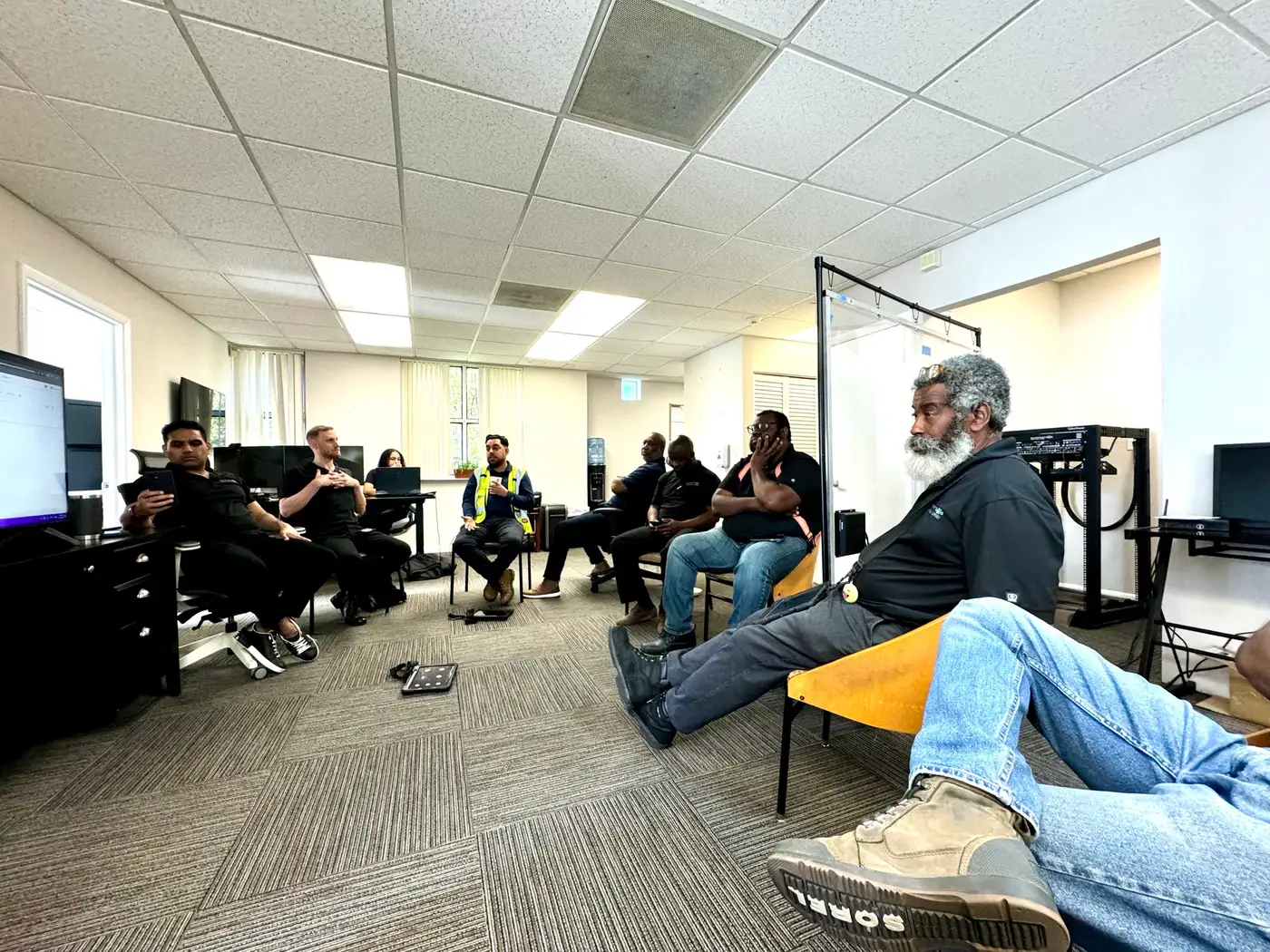
Teams built around your departments, a SharePoint intranet and document libraries with the right permissions, and OneDrive sync so files follow people to any device.

Multi-factor authentication, Conditional Access, Defender, data loss prevention and email encryption, with HIPAA, GDPR and SOC policies configured and documented.
Business-class email with shared mailboxes, archiving, spam and phishing filtering and retention rules that match how your business actually works.

Replace the old phone system with Teams calling, and give every conference room a certified Teams device that joins with one touch.
The right license mix for each role, devices enrolled and managed in Intune, and a 24/7 help desk for users, plus ongoing tenant administration and training.
We work through these four points with you during discovery, before any data moves.
Mailboxes, calendars, contacts, shared drives and permissions mapped one to one before migration starts.
MFA, Conditional Access, Defender and DLP designed in from day one rather than bolted on after an incident.
Business Basic, Standard, Premium or E3/E5 assigned per role, so you pay for what each person actually uses.
Laptops in Intune, phones on Teams calling and meeting rooms on certified Teams hardware, all on one tenant.
Mailboxes sync in the background while your current system stays live. On cutover night we switch mail flow, update Outlook and mobile profiles, and your team opens the next morning with everything where they expect it.
Plan a migrationMicrosoft 365 configured for how each business communicates and what it must protect.
Tenant consolidation, SharePoint intranets and Teams rooms standardized across every office.
Talk to us about your corporate projectTen mailboxes or a thousand, the sequence is the same, and security is configured before the first message moves.
We inventory users, mailboxes, shared drives, devices and current licenses, and note the compliance requirements that apply to you.
Tenant structure, Teams and SharePoint layout, security policies and a license plan per role, with a fixed migration quote.
Domains, identities, MFA, Conditional Access, Defender and DLP configured before any data moves.
Mail, calendars, contacts and files synced in the background, then cut over after hours with Outlook and mobile profiles updated.
Laptops enrolled in Intune, Teams calling activated and meeting room devices installed and tested.
Your team learns Teams, SharePoint and OneDrive, then our help desk handles users, licenses and tenant administration from there.
DIST administers your tenant, watches security alerts, manages licenses and keeps a help desk answering 24/7 for every user.
Not sure which licenses you are paying for or whether your tenant is secure? Send us your user count and we will review it.
Conference room technology with AI cameras, projection and enterprise network infrastructure.
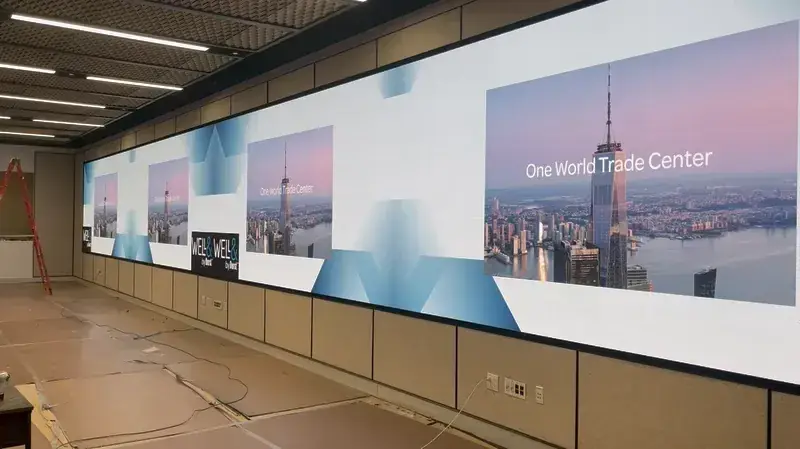
A 59-foot LED video wall for town halls and seminars.

AV consulting for an 18,381 sq ft amenity renovation.
Comprehensive infrastructure for a premium food marketplace.
IT infrastructure and security systems for the sports facility.

Full-scale AV and IT including networking, access control and immersive sound.
“That massive 59-foot LED wall [DIST] put in has transformed how we run town halls and seminars.”
Ready to move to Microsoft 365?
Every workload in the suite, configured and supported by DIST.

 Microsoft TeamsExchange OnlineSharePointOneDriveIntuneDefender
Migration, licensing, security and support, answered.
Small businesses are usually migrated within one to two weeks from kickoff, including tenant setup and cutover. Larger or multi-site organizations take longer and are staged by department. Mail syncs in the background, so users keep working until the after-hours cutover.
No. Mailboxes are synchronized while the old system stays live, and the final cutover is done after hours. Users open Outlook the next morning with their mail, calendars and contacts in place.
Yes. We migrate Gmail, Google Calendar, Contacts and Drive into Exchange Online, Outlook and OneDrive or SharePoint, including shared drives and permissions.
It depends on the role. Business Basic covers web and mobile apps, Business Standard adds desktop Office, and Business Premium adds Intune and Defender security. Larger organizations use E3 or E5. We assign licenses per role so you are not paying for features nobody uses.
Yes, when configured correctly. We enable MFA, Conditional Access, Defender, data loss prevention, encryption and retention policies, and provide the documentation your auditors ask for. Microsoft 365 supports HIPAA, GDPR and SOC frameworks.
Yes. Microsoft keeps your data available but does not provide long-term backups. We add third-party backup of mailboxes, SharePoint, OneDrive and Teams so deleted or encrypted data can be restored.
Yes. Teams Phone gives every user a business number on their laptop and mobile, with auto attendants, call queues and desk phones where needed. We also install certified Teams Rooms devices for conference rooms.
Yes. Our help desk answers 24/7 for user issues, and we handle onboarding, offboarding, licensing, security updates and tenant administration under a flat monthly agreement.
Nationwide. Migration and support are delivered remotely, with on-site engineers for devices, meeting rooms and networks wherever you are in the United States.
Tell us your user count, where mail and files live today and your timeline. A DIST engineer will review your environment, then come back with a plan, a schedule and a fixed quote.