DIST — Design, Installation, Support, Technology
Home
Services
Audiovisual & CollaborationConference Room AVVideo SystemsAudio SystemsControl & Automation
Managed IT & CloudManaged IT ServicesMicrosoft 365Cloud Solutions
Physical SecurityCCTV & SurveillanceAccess Control
Infrastructure & DeploymentLow-Voltage CablingNationwide Truck Rollouts
Projects
Locations
New York CityAudio Visual Integration
Resources
BlogInsights & industry updatesPress & MediaNews coverage & features
AboutContact
(212) 206-0794
DIST

Design, Installation, Support and Technology — integrated AV, IT and security solutions for businesses.

Audiovisual

  • Conference Room AV
  • Video Systems
  • Audio Systems
  • Control & Automation

IT & Security

  • Managed IT Services
  • Microsoft 365
  • Cloud Solutions
  • CCTV & Surveillance
  • Access Control

Company

  • About
  • Projects
  • Contact
  • Client information
  • Vendor information

Contact

  • (212) 206-0794
  • [email protected]
  • Mon–Fri 8:00 AM – 5:00 PM
  • 24/7 Help Desk Support
Ask AI about DISTGet an independent summary of who we are and what we do.
  • ChatGPT
  • Claude
  • Perplexity
  • Google AI
  • Grok
© 2026 DIST. All rights reserved.
  • Privacy Policy
  • Sitemap
DIST — Design, Installation, Support, Technology
Home
Services
Audiovisual & CollaborationConference Room AVVideo SystemsAudio SystemsControl & Automation
Managed IT & CloudManaged IT ServicesMicrosoft 365Cloud Solutions
Physical SecurityCCTV & SurveillanceAccess Control
Infrastructure & DeploymentLow-Voltage CablingNationwide Truck Rollouts
Projects
Locations
New York CityAudio Visual Integration
Resources
BlogInsights & industry updatesPress & MediaNews coverage & features
AboutContact
(212) 206-0794
DIST

Design, Installation, Support and Technology — integrated AV, IT and security solutions for businesses.

Audiovisual

  • Conference Room AV
  • Video Systems
  • Audio Systems
  • Control & Automation

IT & Security

  • Managed IT Services
  • Microsoft 365
  • Cloud Solutions
  • CCTV & Surveillance
  • Access Control

Company

  • About
  • Projects
  • Contact
  • Client information
  • Vendor information

Contact

  • (212) 206-0794
  • [email protected]
  • Mon–Fri 8:00 AM – 5:00 PM
  • 24/7 Help Desk Support
Ask AI about DISTGet an independent summary of who we are and what we do.
  • ChatGPT
  • Claude
  • Perplexity
  • Google AI
  • Grok
© 2026 DIST. All rights reserved.
  • Privacy Policy
  • Sitemap
DIST — Design, Installation, Support, Technology
Home
Services
Audiovisual & CollaborationConference Room AVVideo SystemsAudio SystemsControl & Automation
Managed IT & CloudManaged IT ServicesMicrosoft 365Cloud Solutions
Physical SecurityCCTV & SurveillanceAccess Control
Infrastructure & DeploymentLow-Voltage CablingNationwide Truck Rollouts
Projects
Locations
New York CityAudio Visual Integration
Resources
BlogInsights & industry updatesPress & MediaNews coverage & features
AboutContact
(212) 206-0794
Back to Blog
Nov 21, 2025AUDIO/VISUAL

How to Choose the Right Video Bar System for Small and Mid-Size Meeting Rooms?

Ryan Hadley

Ryan Hadley

LV Project Designer/ Programmer at Support305
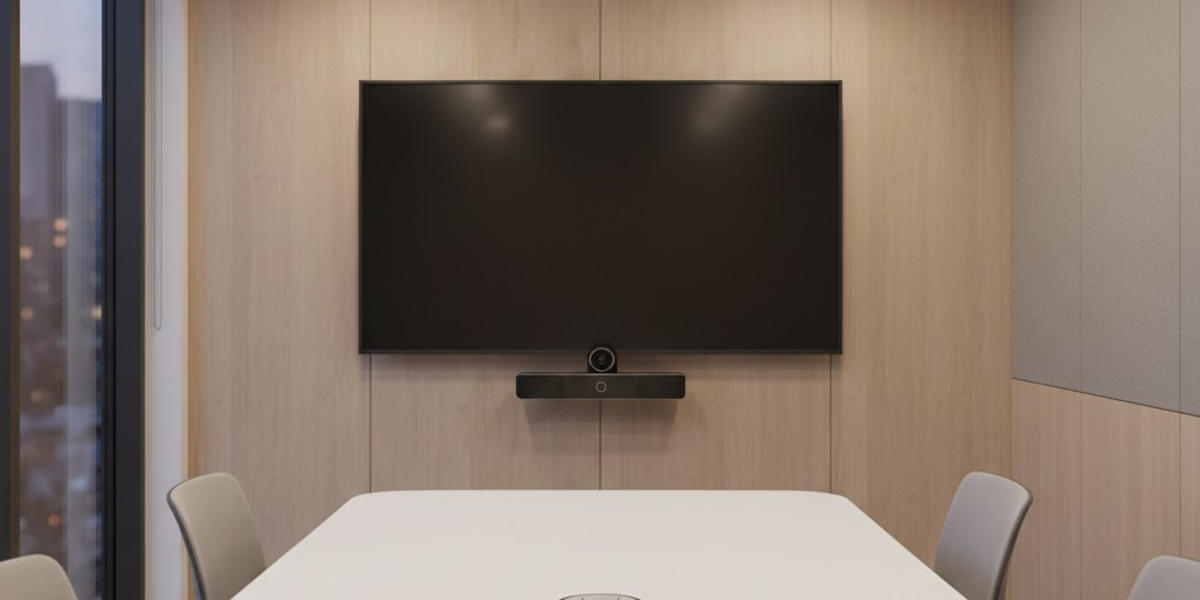
How to Choose the Right Video Bar System for Small and Mid-Size Meeting Rooms?

Table of contents

  • Why Video Bars Are Ideal for Modern Workspaces?
  • But how did you choose the right one?
  • Best Use Cases

Table of contents

  • Why Video Bars Are Ideal for Modern Workspaces?
  • But how did you choose the right one?
  • Best Use Cases

Video bar systems have quickly become the go-to solution for small and mid-size meeting rooms. They combine cameras, microphones, and speakers into a single, compact device, making setup easier, reducing clutter, and improving call quality.

Choosing the Right Platform: Teams, Webex, Zoom, or Meet for Your Conference Room for your team, a video bar delivers professional-grade performance without needing multiple AV components.

Why Video Bars Are Ideal for Modern Workspaces?

  • All-in-one convenience: Simplifies installation and minimizes cabling.
  • Smart audio and video: Built-in AI framing and noise reduction improve clarity.
  • Seamless compatibility: Works effortlessly with leading conferencing platforms.

But how did you choose the right one?

Here is the simple step by step method.

Step 1. Measure the room size
Small rooms need a shorter pickup range and a wide camera angle.
Mid-size rooms need stronger microphones and more advanced speaker output.
Start by knowing whether the room fits between two to six people or more.

Step 2. Check the camera features
Look for AI auto framing, optical zoom, and clarity in different lighting conditions.
Small rooms need a wider field of view.
Mid-size rooms benefit from better zoom control.

Step 3. Focus on microphone reach
For huddle rooms, near range microphones are enough.
For medium rooms, you need extended pickup that captures voices from the back row clearly.

Step 4. Review platform compatibility
If your team uses Zoom Rooms or Microsoft Teams Rooms, choose a video bar that is certified for that platform.
This avoids glitches and ensures stable meetings.

Step 5. Look for room adaptability
Some units like Logitech Rally Bar or Poly Studio can scale as your room grows.
Choose a device that allows add ons such as expansion microphones or additional speakers if needed.

Step 6. Consider ease of installation
A clean and clutter-free meeting room needs minimal cabling and a stable mounting option.
Choose a model that fits your display size and room furniture layout.
Img

Best Use Cases

  • Huddle rooms for 2–6 people
  • Mid-size collaboration rooms
  • Hybrid meeting spaces

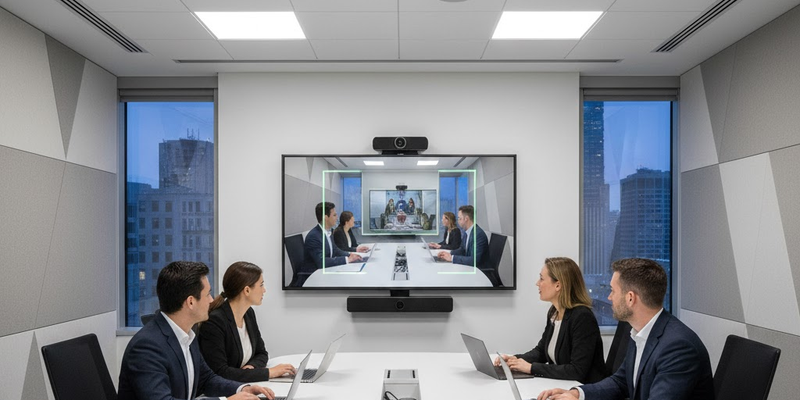
AV team evaluates your room size, acoustics, lighting, and conferencing platform to recommend the perfect video bar setup for your space.

Contact Support305 today for a free consultation and get expert guidance on choosing the right video bar system for your meeting room.

Explore More Blogs

Discover more insights and tips from our latest articles
Wireless USB Microphones for Conference Rooms and Why They Improve Meeting Quality
CONFERENCE
Jan 5, 2026

Wireless USB Microphones for Conference Rooms and Why They Improve Meeting Quality

Wireless USB microphones eliminate cable clutter and improve flexibility for modern meeting rooms, delivering clearer audio and smoother hybrid conferencing.

Ryan Hadley
Ryan Hadley

LV Project Designer/ Programmer at Support305
The Complete Guide to Choosing the Best Conference Room Display for Modern Meetings.
AUDIO/VISUAL
Dec 3, 2025

The Complete Guide to Choosing the Best Conference Room Display for Modern Meetings.

Learn how to choose the right conference room display to improve clarity, collaboration, and hybrid meeting performance.

Ryan Hadley
Ryan Hadley

LV Project Designer/ Programmer at Support305

Ceiling Mics vs Table Mics: Choosing the Right Setup for Your Conference Room
AUDIO/VISUAL
Nov 11, 2025

Ceiling Mics vs Table Mics: Choosing the Right Setup for Your Conference Room

Choosing between ceiling and table microphones affects meeting quality and room aesthetics. Learn which setup works best for your conference room based on layout, acoustics, and collaboration style.

Jose Sala
Jose Sala

Audio Engineer & Account Executive at Support305

DIST

Design, Installation, Support and Technology — integrated AV, IT and security solutions for businesses.

Audiovisual

  • Conference Room AV
  • Video Systems
  • Audio Systems
  • Control & Automation

IT & Security

  • Managed IT Services
  • Microsoft 365
  • Cloud Solutions
  • CCTV & Surveillance
  • Access Control

Company

  • About
  • Projects
  • Contact
  • Client information
  • Vendor information

Contact

  • (212) 206-0794
  • [email protected]
  • Mon–Fri 8:00 AM – 5:00 PM
  • 24/7 Help Desk Support
Ask AI about DISTGet an independent summary of who we are and what we do.
  • ChatGPT
  • Claude
  • Perplexity
  • Google AI
  • Grok
© 2026 DIST. All rights reserved.
  • Privacy Policy
  • Sitemap